HA2ATV
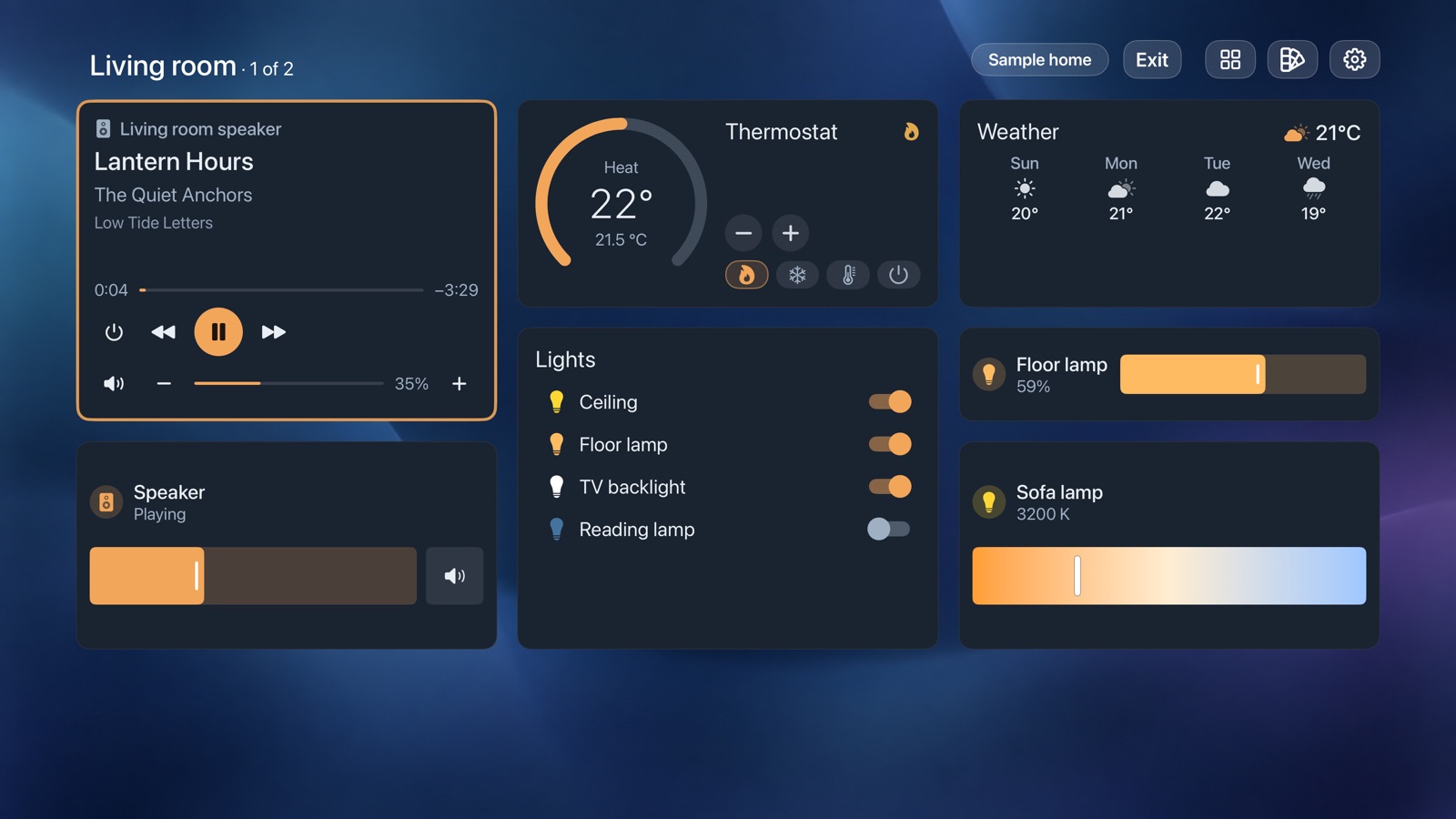
HA2ATV reads the dashboards you already have in Home Assistant and renders them as native tvOS cards, controlled with the Siri Remote. Your views, cards and theme carry over; there is nothing to rebuild.
How it works
HA2ATV connects directly to your Home Assistant, on your local network or at your own remote URL. There is no HA2ATV account, no cloud relay, no analytics and no advertising.
What carries over
- Views: Sections, Masonry, Panel and Sidebar, and layout-card. Each section becomes a column, up to 4 side by side.
- Cards: Home Assistant’s built-in cards, including tiles with their features, entities, graphs, gauges, energy, cameras, maps and picture elements.
- Custom cards: Mushroom, button-card, Bubble Card, mini-graph-card, apexcharts-card, bar-card, big-slider-card and auto-entities. JavaScript in a card never runs.
- Theme: colors, card corners, borders and shadows.
The dashboard guide lists what carries over card by card, and what to change for the closest match.
Requirements
- Apple TV HD or Apple TV 4K, with tvOS 18 or later.
- A Home Assistant administrator account.
- A phone on the same network as the Apple TV, for sign-in.
HA2ATV shows the first 3 to 6 views of a dashboard, depending on the Apple TV model.
Get started
- Install HA2ATV from the App Store on your Apple TV, and open it.
- HA2ATV finds Home Assistant on your network. If it doesn’t, select Type the address.
- Scan the QR code with your phone, and approve HA2ATV on your Home Assistant sign-in page.
- Select a dashboard.
To try HA2ATV without Home Assistant, select Try with a sample home on the first screen.
Everything is free for 1 day. After that, HA2ATV is a one-time purchase, with no subscription.
More
Questions: info@nomi-digital.com.au.